What Is an IPTV Manager? A Plain-English Explanation
An IPTV manager handles everything around your streams: activation, logins, renewals, connections and devices. Here is what it does and why it matters.

Works with the devices you already own
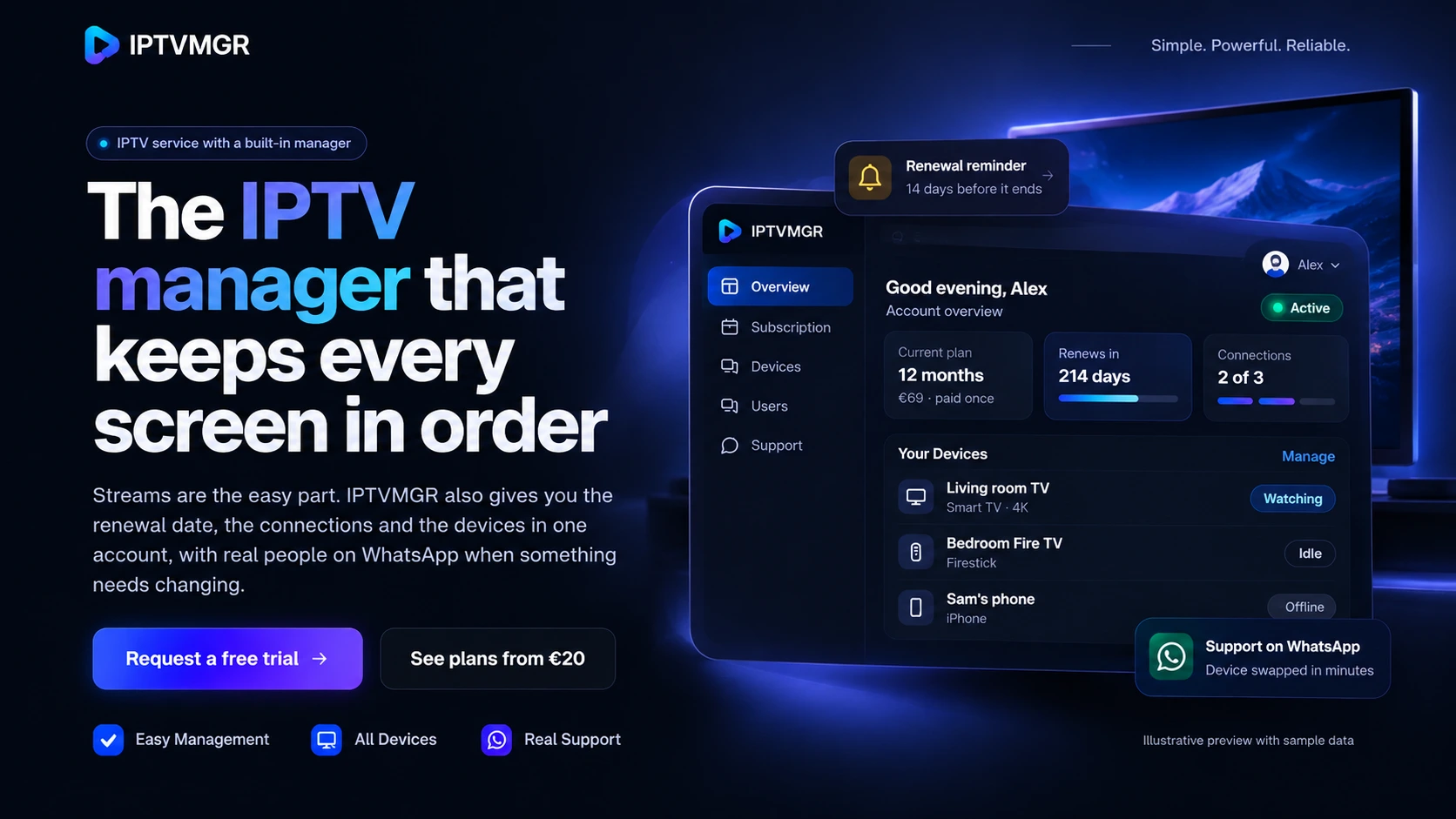
What IPTVMGR manages for you
Almost every IPTV frustration comes back to one of these. Each one has its own place in your account, and its own page explaining exactly how it works.
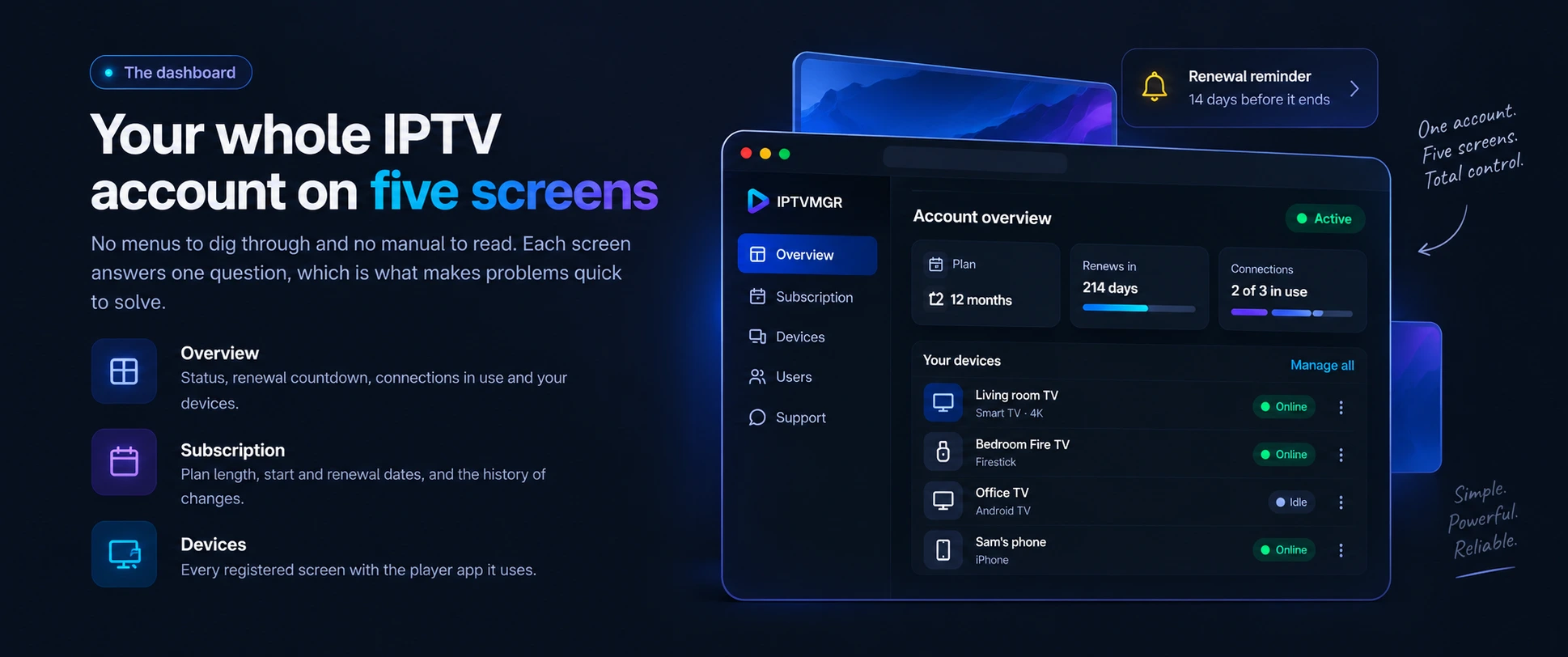
Plan length, status and the exact renewal date, so a subscription never ends by surprise.
Subscription managerHow many screens can watch at once, and who is using them right now.
User managementEvery TV, stick and phone on the account, with changes handled for you.
Device managementPeople on WhatsApp who can already see your plan, devices and setup.
How support worksFeatures
Six things that remove the usual IPTV guesswork, included with every plan length.
Status, renewal countdown, connections and devices on a single screen you can read in seconds.
Tour the dashboardNothing renews automatically. You request it, the price is confirmed, then the period is added.
How renewals workKnow how many streams your plan allows and which screen is using each one, before anyone is locked out.
Connections explainedExact steps for your device and player app, from login details to the first channel.
Setup guideStreams in up to 4K where available, with honest guidance on what your device and network need.
4K requirementsNo fake counts or ratings anywhere on this site. Plans, prices and limits are written plainly.
Read the FAQSubscription management
Most IPTV interruptions are simply a plan that quietly reached its end date. Yours stays in plain sight.
User management
When several people share an account, the connection limit is where friction starts. Seeing it removes the argument.
Device management
Devices change far more often than subscriptions do. Your account keeps track of each one, so moving takes minutes.
Supported devices
IPTVMGR plays through IPTV player apps, so there is no extra box to buy. Pick your device for setup steps and tips.
Chasing the sharpest picture? Check the 4K IPTV requirements before choosing a device.
Pricing
Pay once per period, with no automatic renewals. Every plan includes the full account manager, device management and WhatsApp support, and longer plans cost less per month.
Monthly
Full flexibility to settle your devices and viewing habits.
€20 per month
No long commitment
Most Popular
Quarterly
A season of viewing with one renewal date instead of three.
€35 for 3 months
Instead of €60
Save 42%
Half year
Fewer renewals for households with a settled setup.
€45 for 6 months
Instead of €120
Save 63%
Best Value
Yearly
One renewal a year: the simplest plan to manage.
€69 for 12 months
Instead of €240
Save 71%
Every plan includes
Prices in euros, paid once for the whole period. Plans do not renew automatically.
Getting started
Four steps, usually finished in an evening.
Tell us your main device and how many screens you use at once.
Your account is activated and your login details arrive in the same chat.
Install a player app and sign in, with step-by-step help if you need it.
Renewal date, connections and devices stay visible and easy to change.
FAQ
IPTVMGR is an IPTV service with a built-in account manager. Alongside the streams themselves, you get one place to see your subscription status and renewal date, keep track of the connections you use, and manage the devices you watch on, with setup and support on WhatsApp.
Plans cost €20 for 1 month, €35 for 3 months, €45 for 6 months and €69 for 12 months, paid once for the whole period. Longer plans cost less per month: the 12-month plan works out at €5.75 a month. See all plans and order on WhatsApp.
Yes. You can request a free trial on WhatsApp. The length of the trial is confirmed when you request it. The free trial page explains how to request one and what to test.
That depends on the number of connections on your plan. One connection allows one stream at a time, so a household that watches on two screens at once needs two connections. You can install the app on more devices than that, as long as they do not all play at once.
Streams are available in up to 4K where the source offers it. To see 4K you also need a 4K-capable screen and device, a player that supports HEVC video, and a stable connection. The 4K IPTV page lists the requirements.
From the blog
Practical articles on subscriptions, devices and streaming quality.
An IPTV manager handles everything around your streams: activation, logins, renewals, connections and devices. Here is what it does and why it matters.
New to IPTV? Understand what it is, what you need, how a subscription works, what setup involves and what to expect in your first week, without jargon.

A practical guide to managing IPTV subscriptions: choosing a plan length, tracking renewal dates, handling expiry, changing plans and keeping costs predictable.
Start tonight
Request a free trial on WhatsApp, or ask anything first. Plans start at €20 for a month, and the 12 months plan works out at €5.75 a month.
WhatsApp is our only contact channel, so you always reach a person.